A place for every revision
Organize projects, folders, sheet numbers and revisions. Retain the original file and keep track of the current version.
Drawings, dimensions, and site issues. Together on your iPhone and iPad.
iPhone & iPad · iOS 18+
Coming to the App Store
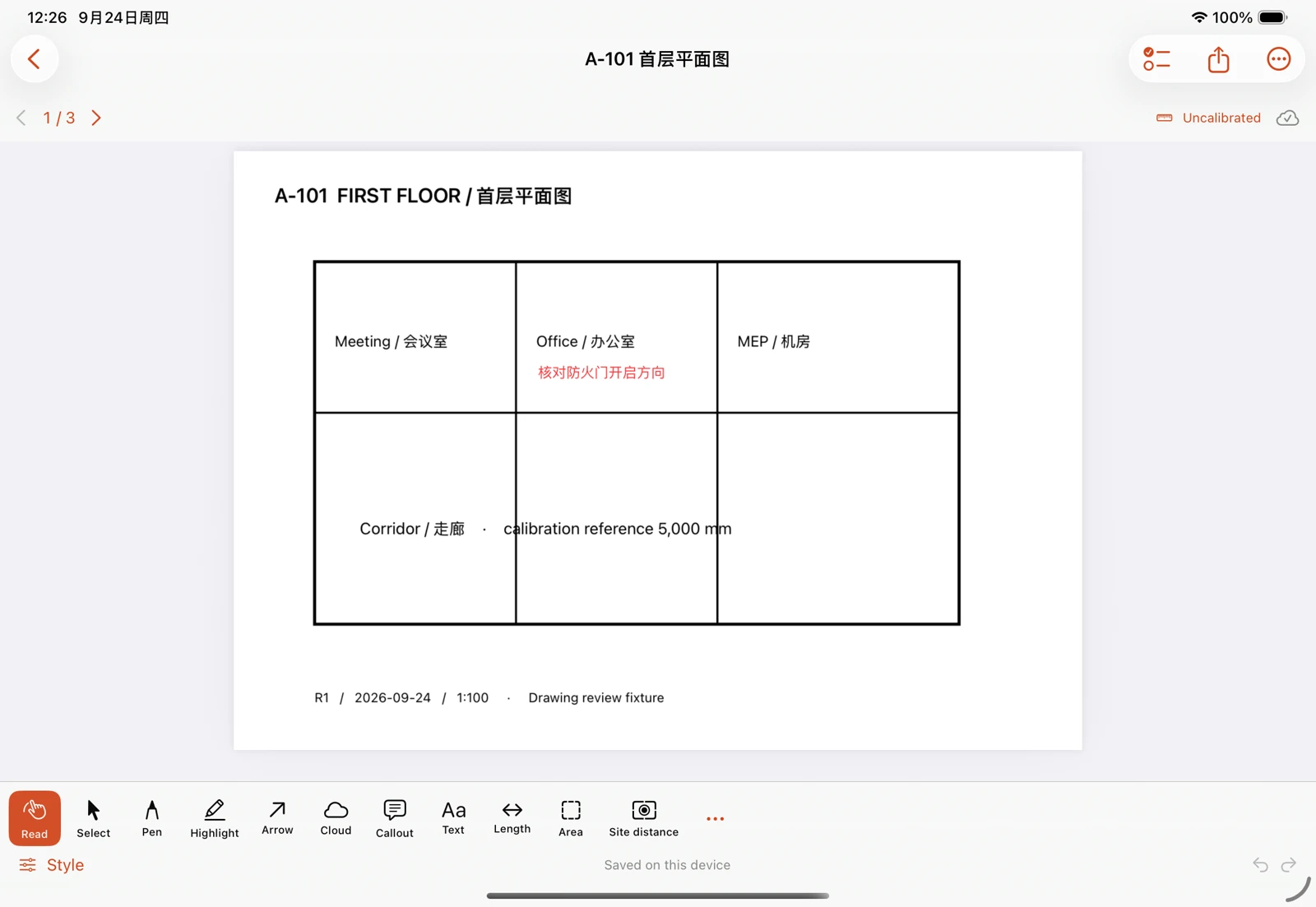
Bring in PDFs or images. Keep your originals.
Add dimensions, comments, and site photos.
Export marked-up PDFs and issue reports.
Built around the drawing
From the first review to the final handover, keep the conversation connected to the drawing.
Add pen strokes, clouds, arrows, text and callouts. Adjust each markup as your review progresses.
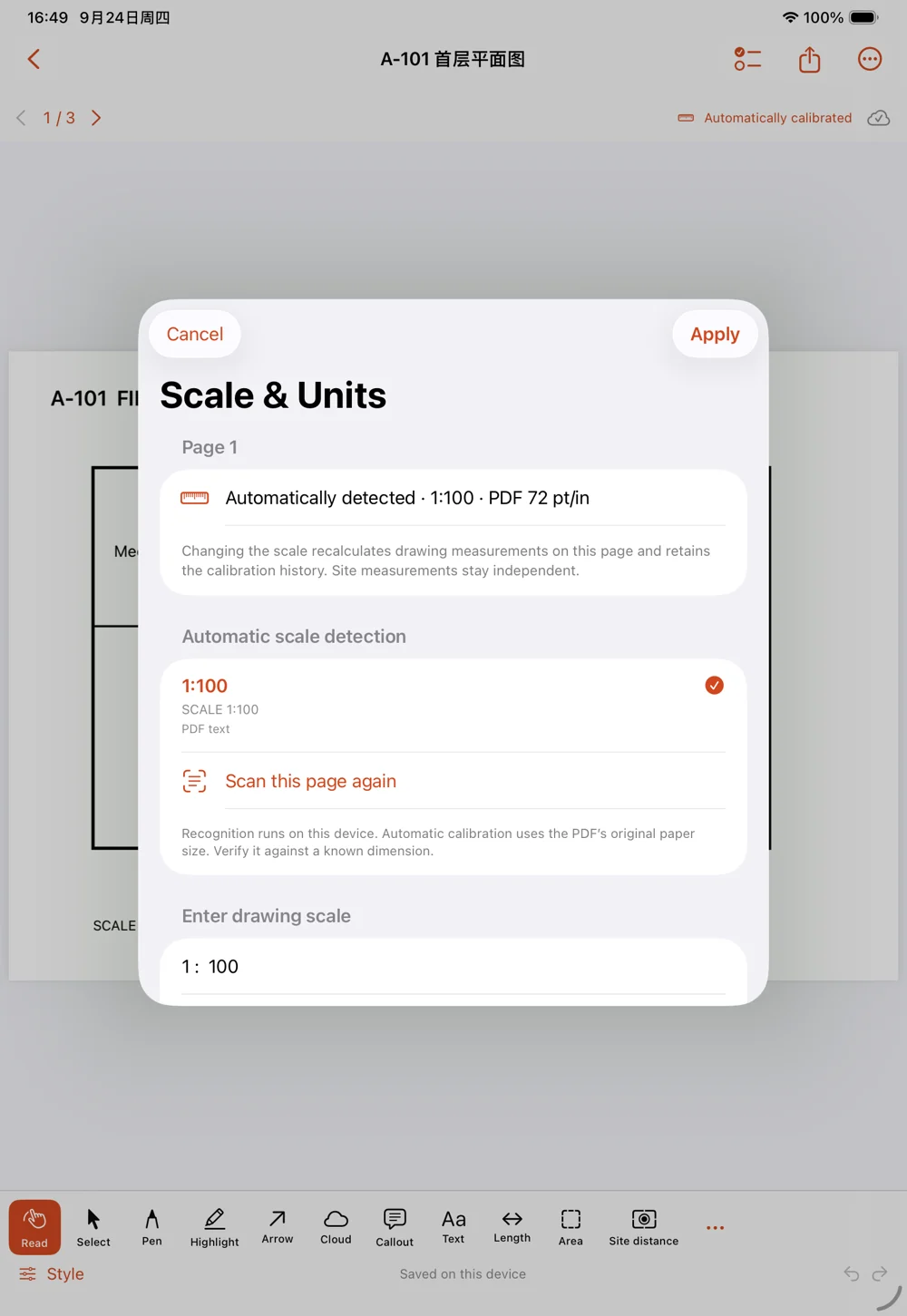
Set a page scale or calibrate a known length. Measure distances, polylines and areas with a reference you can review.
Verify the scale, units and drawing revision. Confirm important dimensions on site.
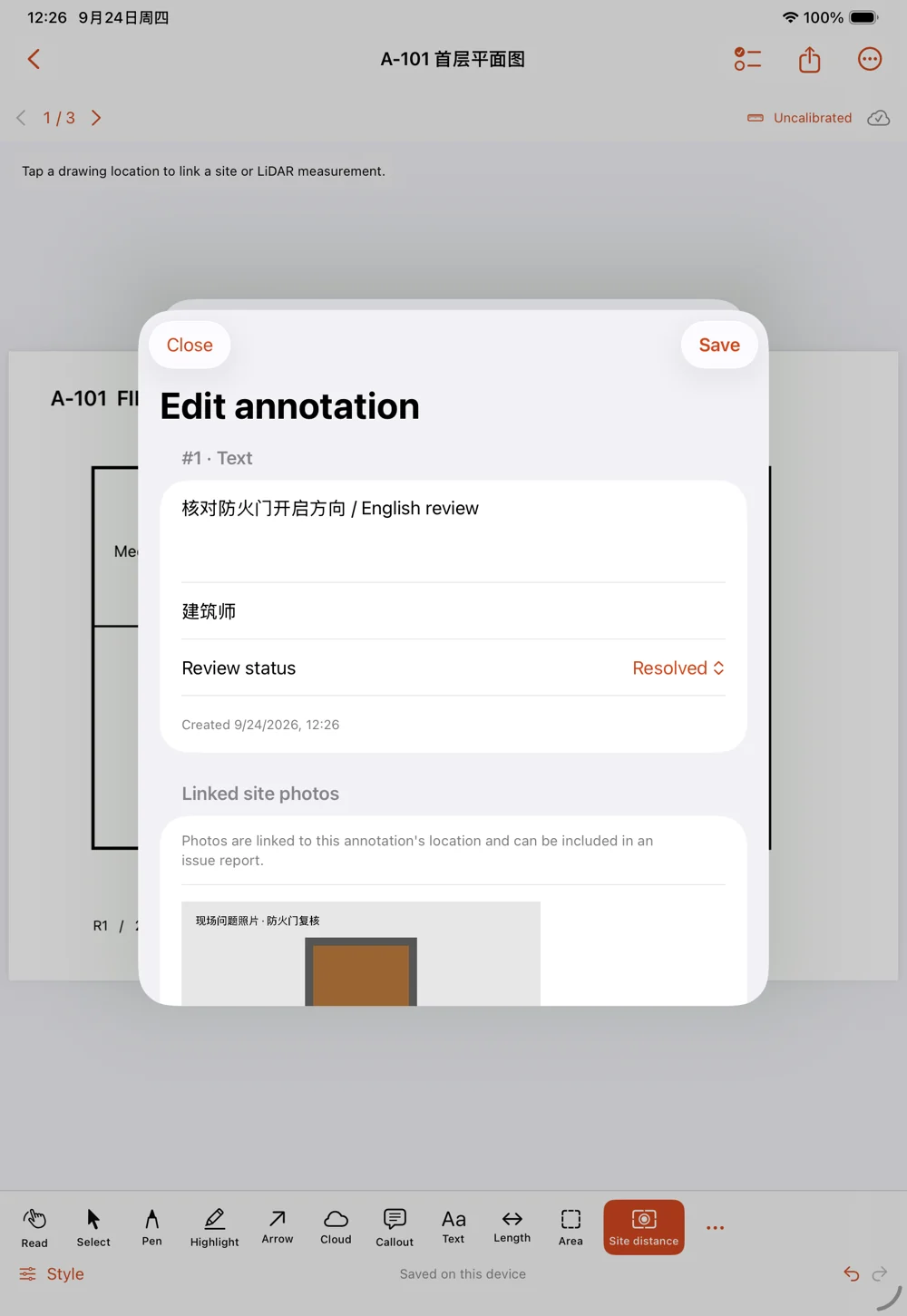
Connect each site photo to its markup. Keep issue numbers, authors, statuses and change history alongside the drawing.
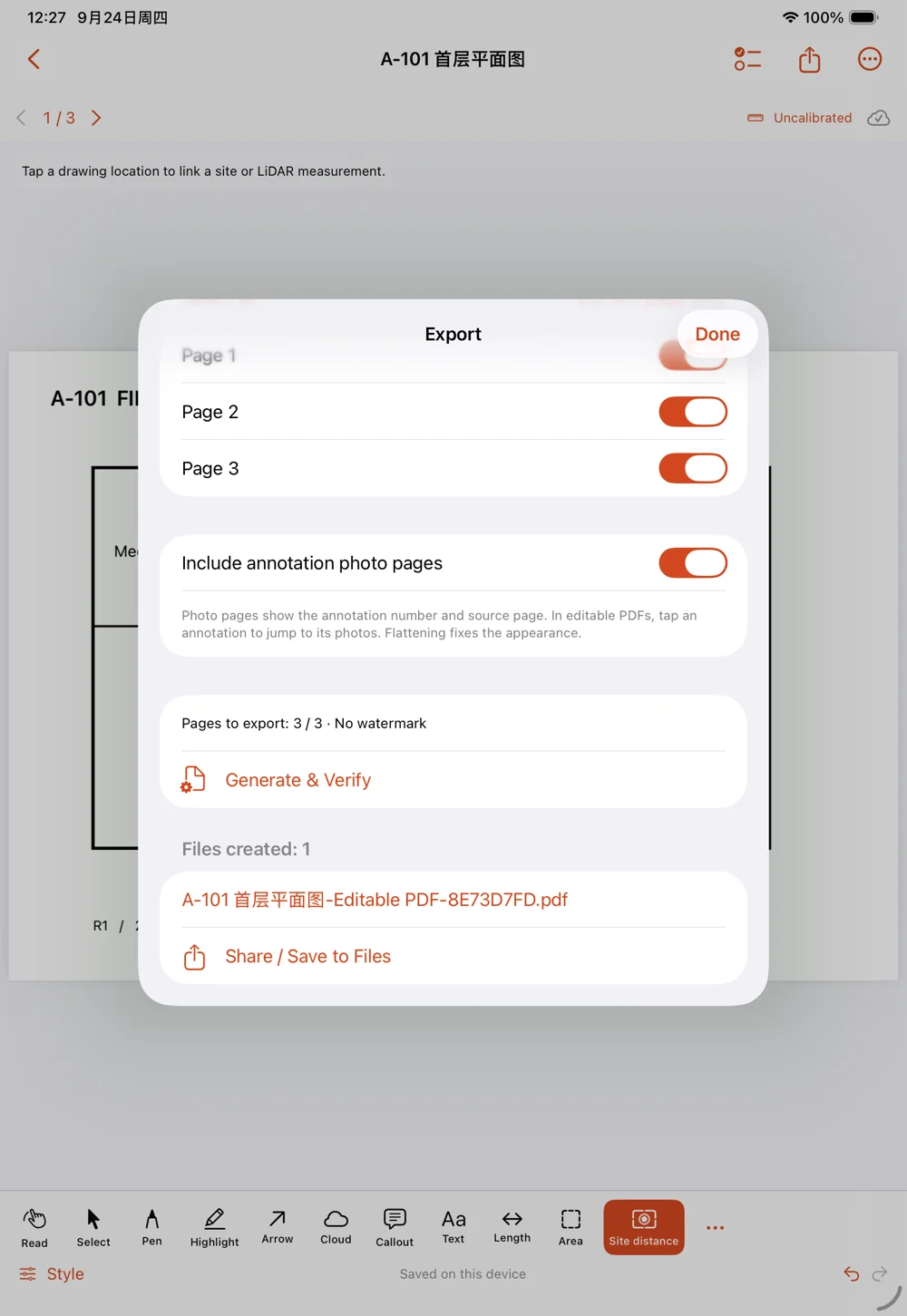
Share editable or flattened PDFs, PNG images and CSV lists. Add linked photo pages so recipients can find the source drawing.
Editable annotation support varies between PDF apps. Use a full backup to retain complete project data.
Organize projects, folders, sheet numbers and revisions. Retain the original file and keep track of the current version.
Review the detected scale and calibrate against a known dimension. Keep site measurements separate from drawing measurements.
Send the right pages in familiar formats. Keep complete photo links, measurements and history in a project backup.
No app account. Review imported drawings offline. Keep originals, export your work, and back up your projects.
Store exported backups securely; backup files are not separately encrypted.
How your data is handled
No. Markup, scaled measurement, and manual site records work without LiDAR. LiDAR capture is an additional option on compatible devices. The app requires iOS or iPadOS 18 or later.
Yes. Export basic editable annotations or a flattened PDF for a fixed appearance. Annotation support varies by PDF app. Use a .toccobirdbackup file to retain complete measurements, linked photos and revision data; proprietary third-party workflows are not guaranteed to transfer.
The planned release offers an optional 7-day full trial followed by a one-time purchase, with no subscription or automatic charge at trial expiry. Existing work stays available to view, export and back up. Availability and regional prices will be shown in the App Store when released.
It looks for scale labels in PDF text and with on-device recognition. A single, clear scale in a native PDF can be applied automatically. Scans, images and pages with more than one scale need your confirmation. Always verify against a known dimension.
English and Simplified Chinese, following your system or per-app language setting. Your drawing titles, notes and photo captions stay in their original language. The website opens in English and offers a complete Chinese version.
Coming to the App Store
Product & release informationMade for iPhone & iPad